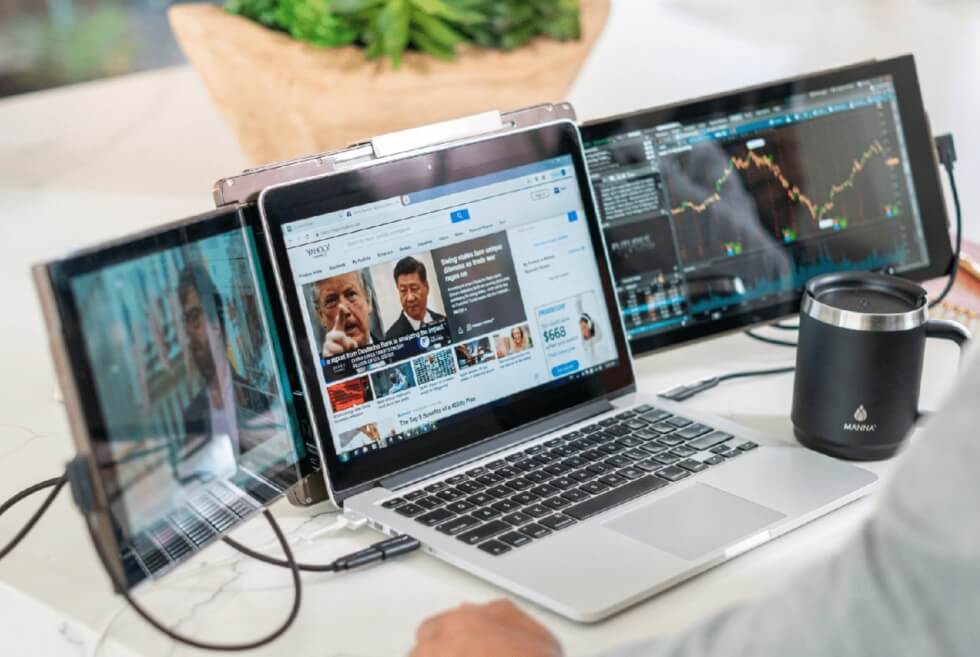
Remote work has gone way past the living room. These days, professionals go from couches to cafes to coworking spaces and even airports—yet many still work on just a single laptop screen. With the right mobile office setup, the traveling experience can be transformed. It can significantly improve organization and productivity wherever you work.
BEFORE: Experience of Remote Users with a Single-Screen
Get Into the Reality of Working From One Laptop Screen
With a standard single-laptop screen, it is always as if you are juggling. You bounce between tabs to compare information, resize small windows in order to multitask, and search for files you had just opened time and again. It can be saved with the Mobile Pixels Trio screen extender for a laptop.
Changing between many different tasks makes it harder to keep focused and fills your workflow with unnecessary steps. Rather than concentrating on doing meaningful work, you are directing your energies towards managing your desktop real estate.
See How Productivity Suffers in Limited Workspaces
Having only one display makes multitasking even worse, particularly if your work involves different applications. Taking notes in video meetings equates to swapping away from the call every time. Writers find themselves constantly switching between research sources and their draft, rather than being able to see both side by side.
Finance professionals switch between spreadsheets and e-mails to check numbers, while designers find themselves continuously minimizing and maximizing design tools, reference images, and client feedback.
Those extra clicks might not seem like much, but they add up over the day pretty quickly. A limited screen size drags down each workflow, uses up mental energy, and causes even simple jobs to take longer than needed.
No Doubt Working Outside the Home Feels Harder
This becomes more complicated when your office is different every single day. Cafe tables are often tidily small, airport lounges may be overpopulated, and hotel desks seldom deliver a generous alacrity for labor. There were distracting public conversations, background noise, and constant movement.
Your deadlines don’t go away just because you’re working on the go, either. When your entire flow is affected through a single laptop screen, each task means window management and extra switching.
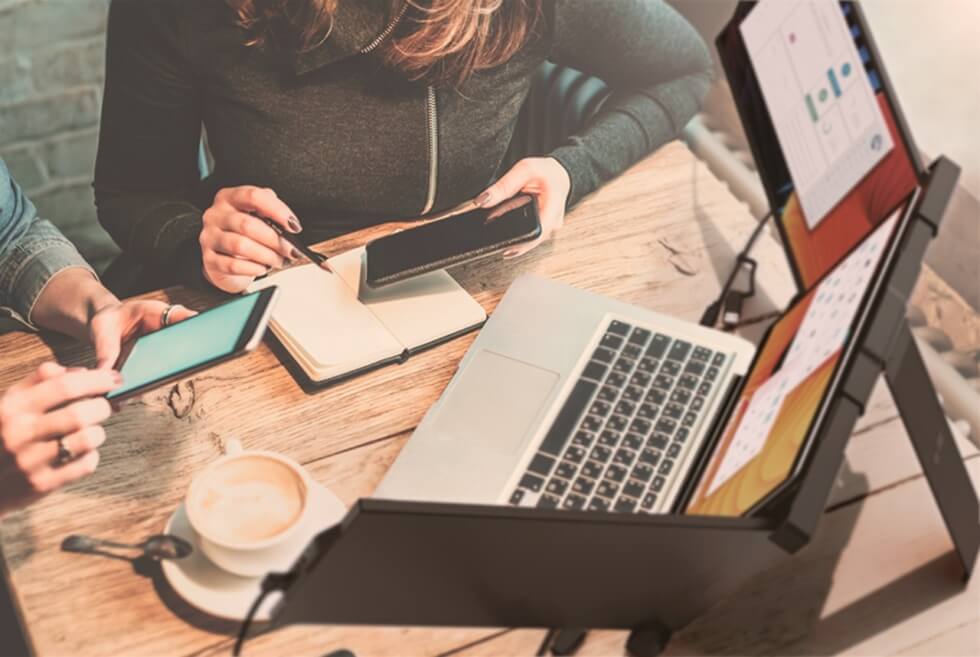
AFTER: Improvement with a Dual-Screen Mobile Office
Look at the Way One Extra Screen Transforms Everything
The most significant enhancement to a mobile office could be an extra screen. By having multiple applications open side-by-side instead of flipping between different tabs and windows, you can work better.
Picture this:
One half is just a single laptop, and your windows are overlapping like dams holding back flood waters as you flick between tabs. On the other half, there is a laptop with an additional portable monitor next to it. Everything you need is visible in the wide open screen space.
Examples:
- TAB SWITCHING
Before: Constant switching
After: Side-by-side workflow - ACCESSIBILITY
Before: Searching for documents
After: Everything visible - CONCENTRATION
Before: Interrupted concentration
After: Continuous focus
The Way Remote Workers Organize Their Screens
Here are a few common workflows professionals can manage with dual-screen setups:
- Writers: Keep research materials, sources or articles, and outlines on the left side of the screen while writing content on the right.
- Developers: Display code on one screen and documentation/API reference/debugging tools on the other to speed up development.
- Designers: Use the primary monitor for design software, and keep reference images, brand guidelines, or client feedback on your second screen.
- Project Managers: Join virtual meetings on one, while taking care of notes, timelines, and task boards on the other.
- Finance Professionals: Use one monitor for spreadsheets and the second to see your emails (or reports or dashboards) while comparing data without breaking your analysis ability.
Conclusion
Working from home doesn’t have to mean sacrificing productivity. An effective mobile office keeps you organized and productive anywhere you find yourself working. Mobile Pixels helps you take a cafe, hotel, or coworking space anywhere and turn it into the productivity suite you need, day in and day out.